Trading Bot
Sep 19, 2026
Free FOMO Trading App Tutorial: How to Trade Meme Coins From Your Phone
FOMO trading app tutorial: Learn how to trade meme coins from your phone, use Apple Pay, follow traders, find trends, copy trades, join Clans, and more.

If you are looking for a FOMO trading app tutorial that explains how to trade meme coins from your phone without making crypto feel unnecessarily complicated, this guide is for you.
FOMO is built around a simple idea: make crypto trading feel more social, visual, and accessible. Instead of forcing beginners to navigate a traditional exchange interface filled with complicated menus, FOMO combines token discovery, social feeds, trader profiles, leaderboards, alerts, charts, and trading in one experience.
The app also supports Apple Pay funding, making it easier for eligible users to get started from a phone. FOMO has expanded beyond its original mobile experience as well, with web trading, more supported networks, advanced charting, tax tools, social features, and perpetual markets.
This FOMO trading app tutorial walks through how the platform works, how to find meme coins, how social trading works, how to follow traders, how Clans fit into the experience, and how to place your first trade from your phone.
Important: Meme coins and crypto assets are highly volatile and can lose significant or all of their value. This tutorial is educational and does not mean that any particular token or trader is a good investment.
What Is the FOMO Trading App?
FOMO is a social-first crypto trading platform designed around discovering and trading crypto while watching what other traders are doing.
The platform describes itself as a social-first trading app and currently supports trading across multiple networks. Its current App Store listing highlights Solana, Robinhood Chain, BNB Chain, Base, Ethereum, and Monad, while emphasizing cross-chain trading without manually bridging assets between networks.
The basic experience can be thought of as:
Discover → Research → Follow → Trade → Track
Instead of searching for a meme coin completely on your own, you can see what is gaining attention, examine trader activity, review token information, and then decide whether you want to make a trade.
That social element is one of the biggest differences between FOMO and a conventional crypto exchange.

Why FOMO Is Easy for Beginners
Crypto trading can become complicated very quickly.
You may have to deal with wallets, networks, gas fees, bridges, token addresses, decentralized exchanges, charts, and multiple apps.
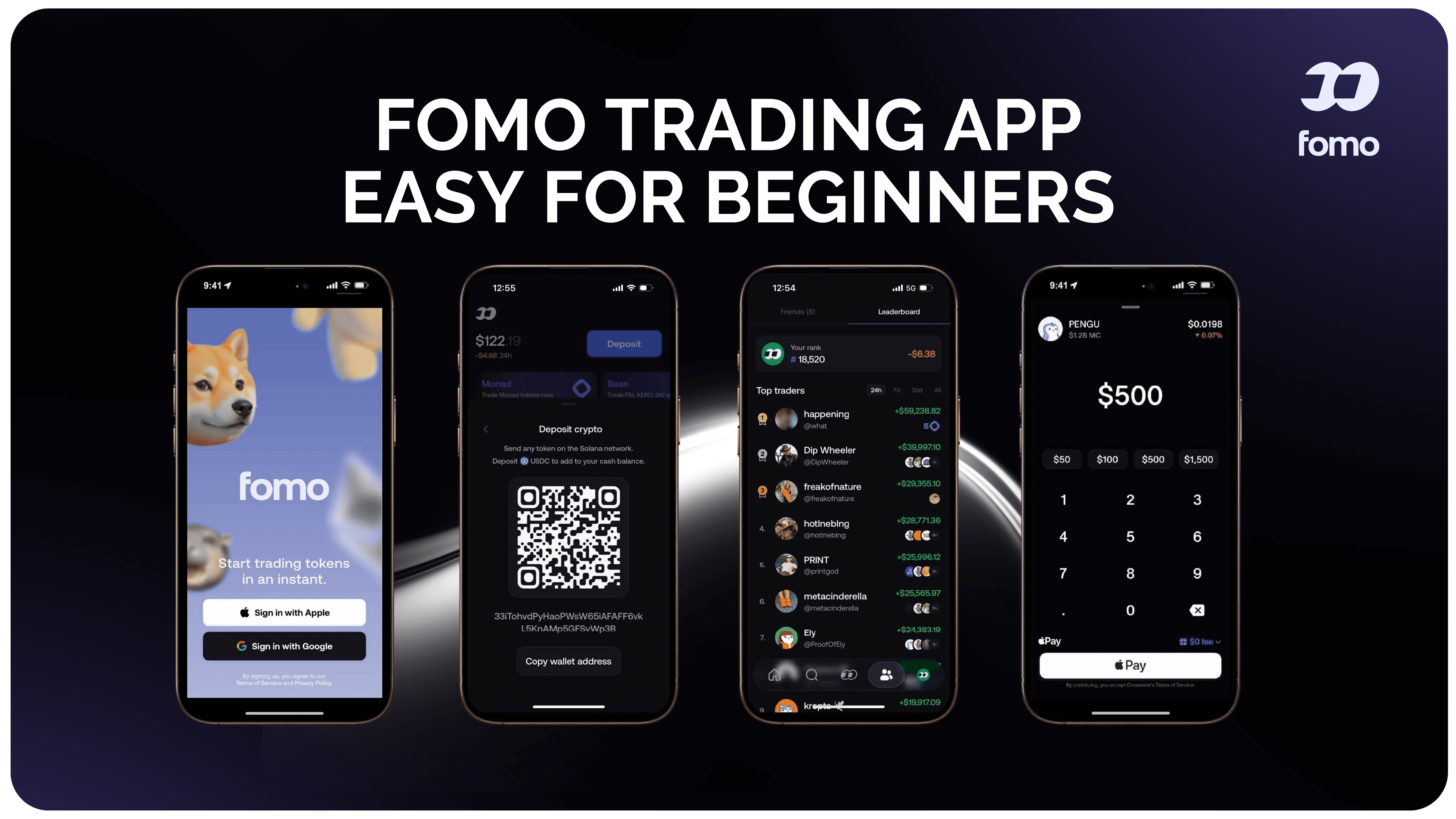
FOMO attempts to simplify much of that experience.
Its official website highlights easy onboarding, multichain trading, gasless transactions, one-click buying, social discovery, leaderboards, alerts, and Apple Pay funding.
For someone learning how to trade meme coins, this creates a relatively straightforward workflow:
Add funds.
Browse trending tokens.
Explore the social feed.
Research a token.
Decide how much risk you are willing to take.
Monitor the position.
Decide when to sell.
The important point is that the app makes the interface easier. That does not make meme coin trading itself safe or predictable.

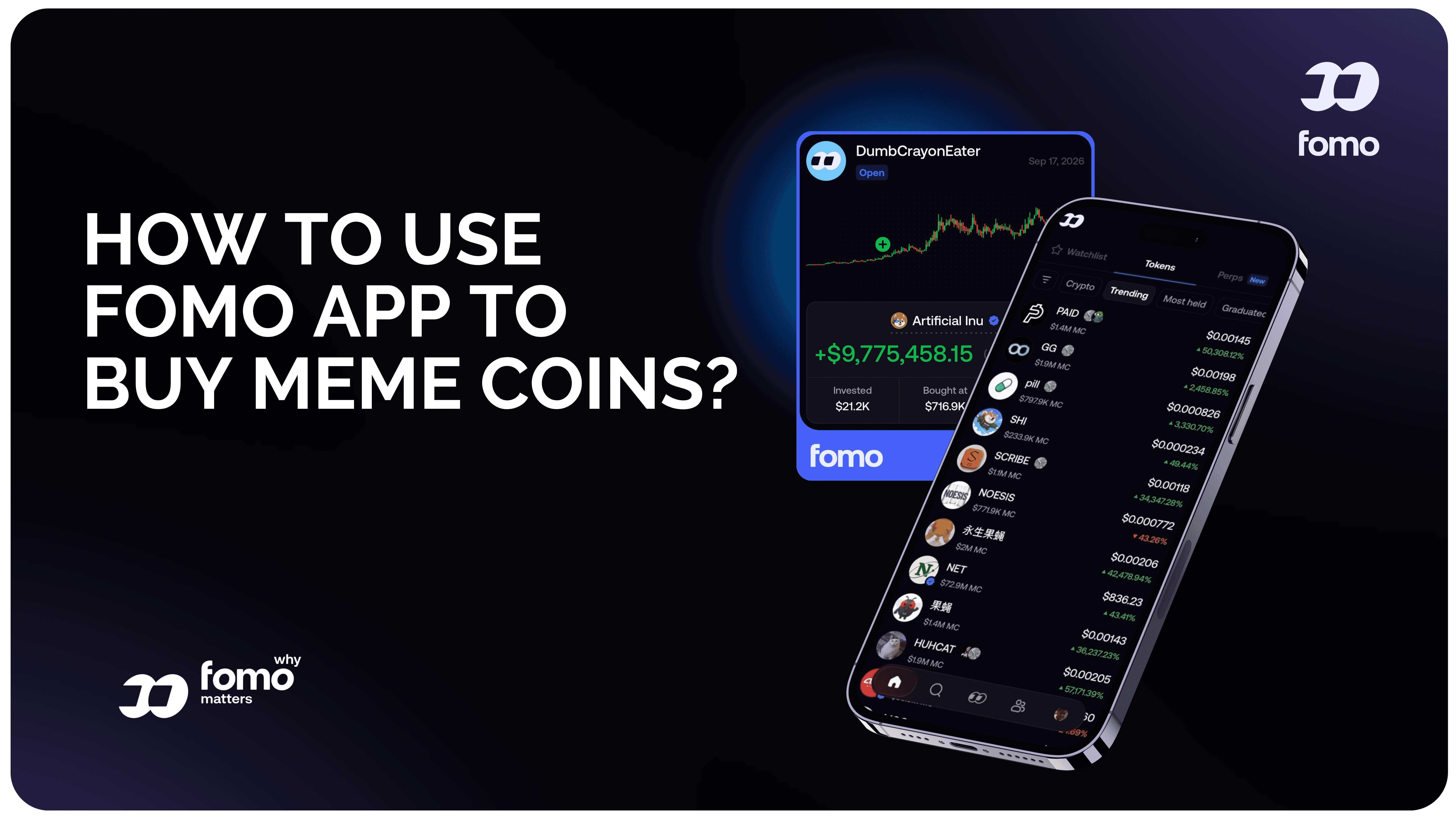
FOMO Trading App Tutorial: How to Get Started
Step 1: Download FOMO
The first step is to download the FOMO app on your phone.
The official App Store listing identifies the app as “fomo - never miss out” and lists it as a free iPhone/iPad application.
You can also use FOMO on the web. FOMO launched its desktop web experience in April 2026 while keeping the same account, balance, positions, following, and social experience across mobile and web.
For this tutorial, however, we are focusing on the phone experience.
Step 2: Create Your Account
FOMO focuses heavily on quick onboarding.
Its educational material explains that users can create an account using email or Apple ID without going through a complicated wallet setup process.
Once your account is created, you can move into the trading interface and explore the social side of the app before making a trade.
For beginners, spending some time exploring the app before depositing money can be useful.
Step 3: Fund Your FOMO Account With Apple Pay
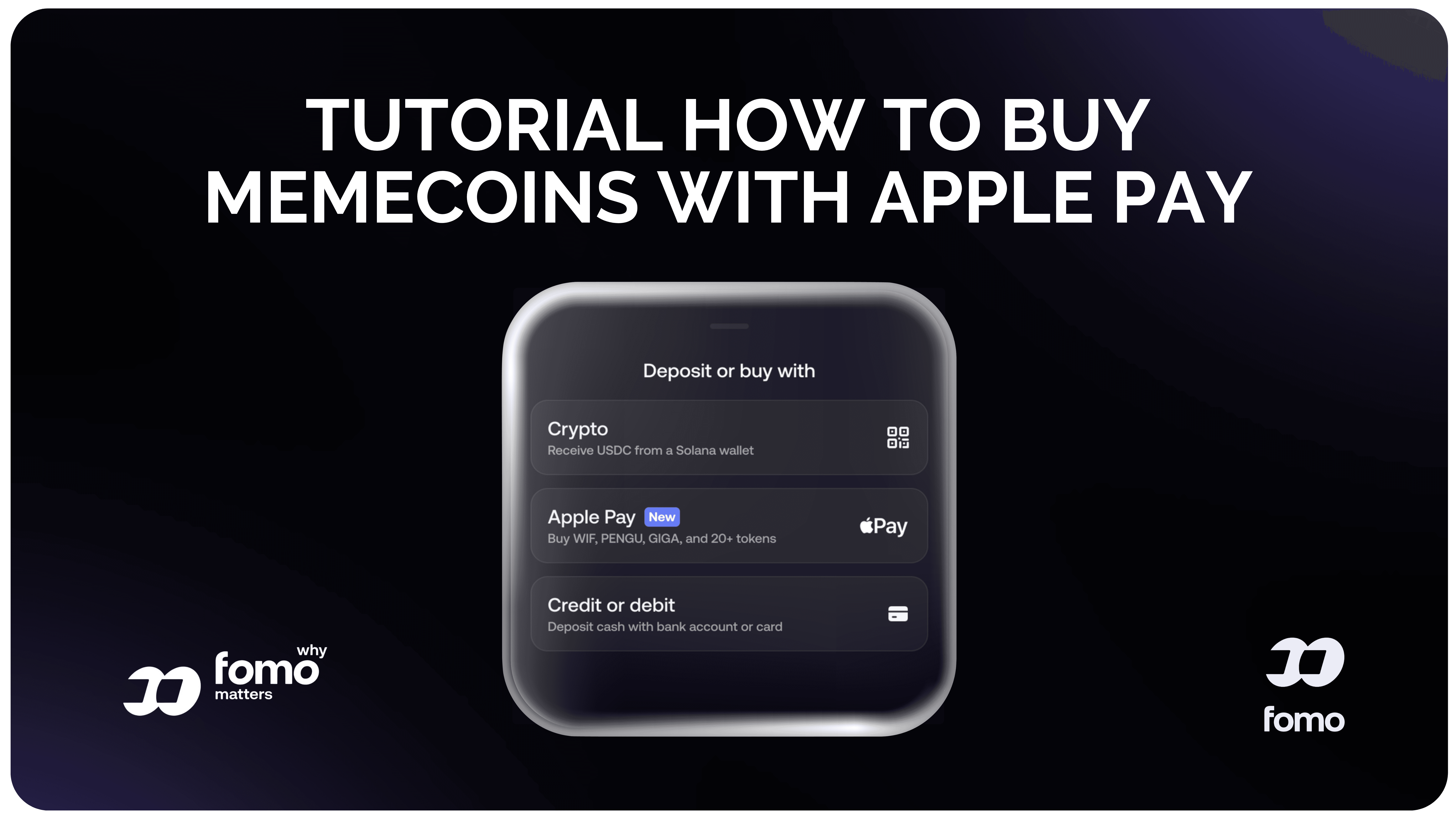
One of the most beginner-friendly parts of the FOMO experience is its Apple Pay funding option.
FOMO introduced a native Apple Pay onramp through Coinbase, allowing eligible users to add funds using Apple Pay directly from the app. The company also lists debit card and crypto funding options.
The general process is:
Open FOMO → Deposit/Fund → Choose Apple Pay → Select amount → Confirm
The exact availability of payment methods can depend on your location, account, and current provider availability.
This is particularly useful for people who do not already hold crypto in another wallet.
Instead of first buying crypto somewhere else and transferring it, an eligible user may be able to fund the account through Apple Pay.
That is a major part of why FOMO can feel more approachable to beginners.

Step 4: Explore the FOMO Social Feed
The social feed is at the center of the FOMO experience.
FOMO describes the feed as a place where users can discover and follow traders, while the company has continued expanding its social features through friends feeds, comments, trade theses, trader profiles, and other interactions.
Think of it as a social timeline built around trading activity.
Instead of seeing only posts, you can encounter:
Token purchases
Token sales
Trader activity
Trending coins
Trader performance
Trade theses
Comments and interactions
Traders you follow
Popular trading activity
This makes FOMO particularly focused on social crypto discovery.
Rather than opening the app and immediately staring at a blank chart, you can begin by seeing what is happening across the community.
Step 5: Find Trending Meme Coins
One of the main reasons people use a platform like FOMO is token discovery.
Meme coins can move quickly, and discovering a token after it has already become popular may mean entering much later than the traders who first noticed it.
FOMO has built discovery features around trending tokens, token feeds, alerts, featured assets, and social activity. Its web launch also added trending-token discovery and real-time alerts to the larger desktop experience.
When browsing a token, don't automatically assume that a token appearing in a trending section means it is a good trade.
Instead, use the information as a starting point for research.
Look at:
Market capitalization
Liquidity
Trading volume
Price movement
Holder activity
Recent transactions
Trader activity
Token information
Your own risk limits
Trending does not mean safe.
Step 6: Search for a Specific Meme Coin
FOMO also provides search functionality for finding coins and trader profiles.
The platform's own navigation guide explains that users can search for a token if they already know what they want to investigate, while trader profiles can also be searched to review their activity.
This is useful if someone sends you a token name or contract address and you want to investigate it yourself.
A simple workflow is:
Don't treat a search result as a recommendation.
Step 7: Follow Crypto Traders
Following traders is one of the core ideas behind FOMO.
The platform allows users to discover traders through the social feed, profiles, and leaderboards. You can follow traders and receive notifications when they make moves.
This turns FOMO into more than a basic buying and selling app.
You can create your own group of traders to watch.
For example, you might follow:
Meme coin traders
Solana traders
Base traders
High-volume traders
Traders with different strategies
Friends
Traders specializing in particular narratives
Following someone does not mean you need to copy every trade they make.
In fact, one of the educational examples published by FOMO describes using the platform as a discovery tool and researching a token independently before deciding whether to buy it.
That distinction is important.
Step 8: Understand the FOMO Leaderboards
FOMO also uses leaderboards to make trader discovery easier.
The homepage highlights trader leaderboards, while its educational material describes viewing trader performance and rankings across different time periods.
Leaderboards can help you answer questions such as:
Who has been active recently?
Which traders are performing strongly?
Which traders specialize in certain tokens?
Who consistently appears across different periods?
What assets are successful traders watching?
But leaderboard performance should not be treated as a guarantee.
A trader who performed well recently can still experience losses later.
Past performance does not guarantee future results.
Step 9: Learn How FOMO Copy Trading Works
The phrase copy trading can mean slightly different things across platforms, so it is important to understand what you are actually doing.
FOMO's educational material describes its social trading approach around discovering traders, following them, receiving notifications, and deciding whether to execute similar trades.
The basic process is:
Find trader → Follow trader → Receive activity notification → Research the trade → Decide whether to copy
This gives users more control than blindly following every move.
You can watch a trader buy a token and then investigate the token yourself.
You can also look at why they entered a position when a trade thesis is available.
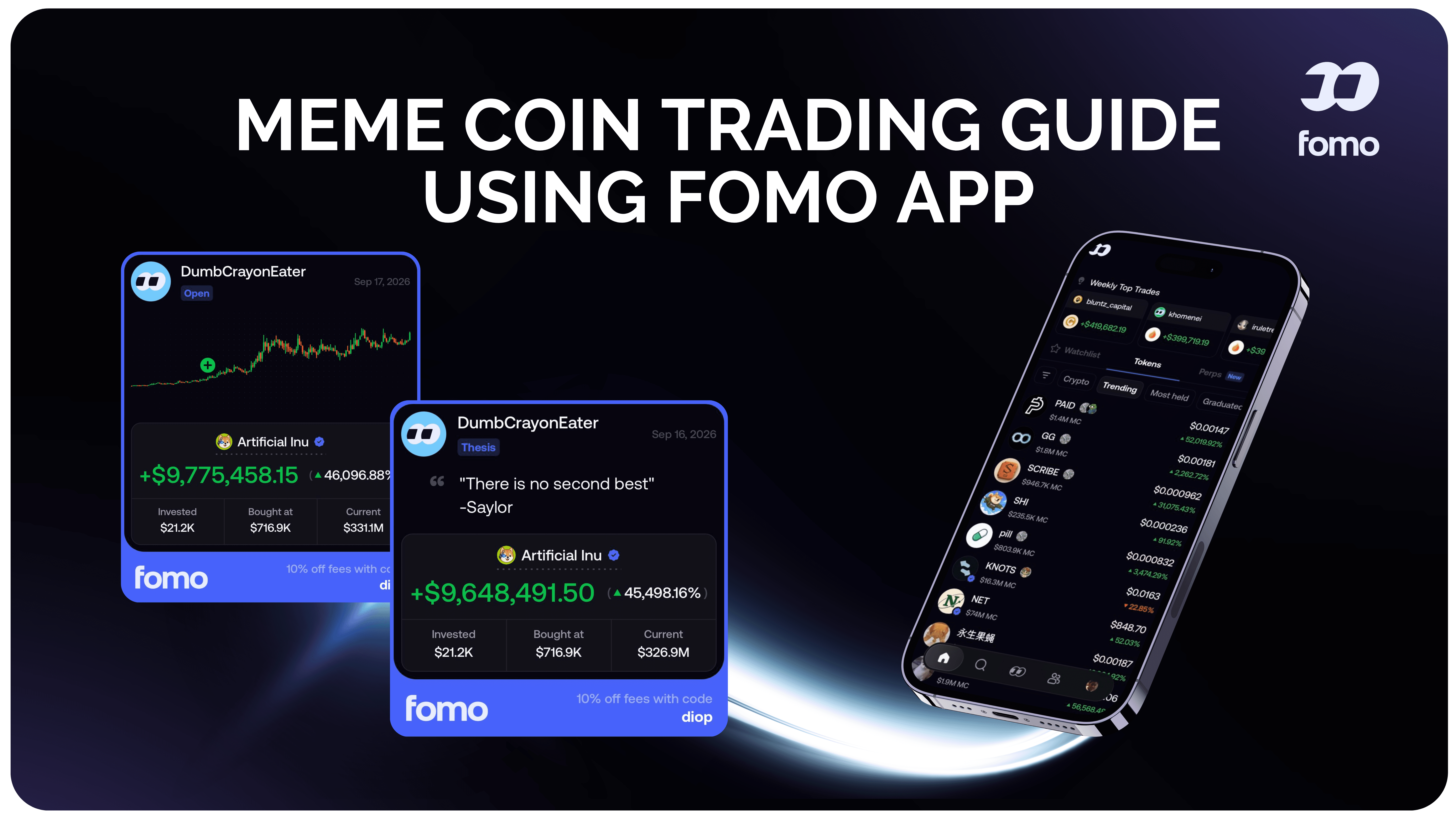
FOMO's trade thesis feature lets traders explain the reasoning behind a position, with thesis information appearing in the global feed and token-specific areas.
That adds context to the simple “someone bought this token” signal.
FOMO Trading App Tutorial: Using Trade Theses
A trade thesis is essentially a trader explaining the reasoning behind a position.
Instead of only seeing:
you may also see information explaining:
Why the trader says they bought TOKEN
FOMO expanded trade theses from token-specific feeds into the global social feed in February 2026. The platform says users can view and interact with theses, with trader P&L and balance information displayed alongside them.
This can make the social feed more educational.
You can compare:
The trader's entry
Their reasoning
Their position
Their P&L
The token's price action
What other traders are saying
Again, a thesis is a trader's explanation, not proof that a trade will work.
Step 10: Join or Follow FOMO Clans
FOMO has also expanded its social experience with Clans.
Clans add a group-based element to the platform, allowing traders to participate in communities and compete or collaborate around collective trading activity.
FOMO's recent updates and newsletters have highlighted Clan leaderboards, Clan membership, and invitations.
This fits naturally with FOMO's broader social direction.
Instead of only following individual traders, the experience can also become about groups and communities.
For users who enjoy the social side of crypto, Clans can make the app feel more like a trading community than a traditional exchange.
Step 11: Open a Meme Coin
Once you have found a token you want to research, open its token page.
Depending on the asset and current platform functionality, you can review market information, charts, trader activity, and other context before placing a trade.
FOMO's current platform emphasizes fast token execution and one-click buying, while its App Store listing highlights buying trending tokens and cross-chain trading.
Before buying a meme coin, check:
Token name
Contract/address
Chain
Market cap
Liquidity
Trading volume
Price movement
Holder distribution
Recent activity
Potential scam or rug-pull indicators
Never assume that a popular token is automatically legitimate.
Step 12: Use FOMO Quick Buys
FOMO includes quick-buy functionality designed to reduce the number of steps required to enter a token.
The web platform specifically highlights quick buys for faster token execution, while the homepage promotes one-click buying.
This is useful when you already know what you want to trade.
However, speed can work both ways.
A faster button makes it easier to enter a position, but it can also make impulsive trading easier.
For beginners, it is worth deciding your maximum position size before pressing the buy button.
Step 13: Choose Your Trade Size
One of the most important steps in this FOMO trading app tutorial is position sizing.
Do not decide how much to trade simply because a token is trending or because another trader bought it.
Instead, determine how much money you are prepared to risk.
For example, a beginner might decide that only a small portion of their available trading capital will be used for highly speculative meme coins.
The specific amount should depend on your own financial circumstances and risk tolerance.
FOMO's educational material also discusses position sizing, risk/reward, and the possibility of losing money when trading meme coins.
Step 14: Review the Chart Before Buying
FOMO has integrated TradingView charting into its web experience.
The integration provides access to professional charting functionality, technical indicators, and drawing tools directly inside FOMO Web.
This gives traders another layer of information beyond the social feed.
You can use a chart to examine:
Price trends
Support and resistance
Volume
Candlesticks
Momentum
Technical indicators
Recent volatility
The social feed tells you what people are doing.
The chart helps you examine what the market is doing.
Combining both can provide more context than relying on a single signal.
Step 15: Buy the Meme Coin
After reviewing the token, trader activity, chart, liquidity, and your own risk limits, you can decide whether to place a buy order.
The exact interface may change as FOMO updates its app.
The basic concept is straightforward:
Open token → Select Buy → Choose amount → Review transaction → Confirm
FOMO is designed to make this process relatively simple, including quick-buy functionality and gasless/multichain features.
Remember that an easy interface does not eliminate trading risk.
Meme coins can move extremely quickly in either direction.
Step 16: Track Your Position and P&L
After buying, you can monitor your position through FOMO.
The App Store listing says FOMO provides cross-chain portfolio tracking, real-time P&L visualization, and transaction/trade history.
This lets you see how your position is performing instead of relying on memory or manually calculating your results.
FOMO has also introduced dynamic P&L features and additional chart functionality through its ongoing product updates.
Keep in mind that an unrealized gain is not the same as a realized profit.
The market can move significantly before you sell.
Step 17: Decide When to Sell
Buying is only one part of meme coin trading.
You also need a plan for exiting.
Before entering a position, consider:
What would make you take profit?
What level of loss are you willing to accept?
How large is the position?
Has the original reason for entering changed?
Is liquidity sufficient?
Has the narrative changed?
Are you simply holding because you do not want to realize a loss?
FOMO's educational library covers topics such as when to sell crypto, technical signals, position sizing, risk/reward, and emotional trading.
A predetermined plan can help reduce emotional decisions.
FOMO Trading App Features You Should Know
The FOMO trading app has expanded significantly beyond simple meme coin buying.
Here are the major features worth knowing.
Social Feed
The social feed is the heart of FOMO.
It lets users discover trading activity and see what other traders are buying and selling.
Trader Profiles
You can search for and follow individual traders, making it easier to build a personalized trading feed.
Leaderboards
Leaderboards make it possible to explore trader performance and identify accounts that are attracting attention.
Trade Alerts
FOMO provides notifications around trader activity, including moves made by traders you follow.
Trade Theses
Traders can provide explanations for their positions, adding context to social trading activity.
Friends Feed
FOMO introduced a friends feed that focuses on aggregated activity from people you follow.
Clans
Clans add a group/community component to the FOMO ecosystem, including group leaderboards and invitations.
Apple Pay
Eligible users can fund their accounts using Apple Pay through FOMO's Coinbase-powered onramp.
Debit Card Funding
FOMO also supports debit card funding, alongside crypto transfers.
Multichain Trading
FOMO supports multiple blockchain networks and aims to simplify cross-chain trading through a unified experience. The current App Store listing names Solana, Robinhood Chain, BNB Chain, Base, Ethereum, and Monad.
Gasless Trading
FOMO promotes gasless trading as part of its simplified experience.
One-Click Buying
The platform emphasizes quick and simple token purchases.
TradingView Charts
FOMO Web includes TradingView charting technology with technical analysis tools and indicators.
Portfolio Tracking
The App Store listing highlights cross-chain portfolio and P&L tracking.
Trade History
Users can review transaction and trading history through the app.
Biometric Security
FOMO introduced biometric security options including fingerprint and Face ID support.
Tax Tools
FOMO has integrated with Awaken for third-party tax reporting functionality.
FOMO Web
FOMO is no longer limited to mobile. The web version carries over the same account, balance, positions, social graph, and notifications between mobile and desktop.
Perpetuals
FOMO added perpetual trading powered by third-party protocols including Hyperliquid and Trade[XYZ]. The offering covers crypto as well as equity, index, commodity, and pre-IPO perpetual markets, subject to availability and geographic restrictions.
For a beginner focused specifically on meme coins, however, spot trading and the social discovery features are likely to be the most relevant parts of the platform.
Why Apple Pay Matters for a Beginner
One of the strongest convenience features in this FOMO trading app tutorial is Apple Pay.
For people who already use Apple Pay regularly, funding an account can feel much more familiar than setting up a separate crypto wallet and transferring assets across multiple networks.
FOMO's January 2026 update introduced its Coinbase-powered Apple Pay onramp.
That means the beginner journey can look more like:
Download app → Create account → Apple Pay → Fund account → Find token → Research → Trade
rather than:
The exact process depends on location and current payment availability, but the goal is clear: reduce unnecessary friction.
FOMO Is More Social Than Technical
FOMO's identity is different from an advanced trading terminal.
The platform puts social discovery near the center of the product.
The homepage emphasizes:
Feed
Leaderboards
Alerts
Easy onboarding
Multichain trading
Gasless trading
One-click buying
Apple Pay funding
That makes FOMO particularly interesting for people who want to discover crypto through people, trends, communities, and real-time activity.
The app is not simply saying:
“Here is a chart. Trade it.”
The experience is closer to:
“Here is what the community is doing. Explore it, learn from it, research it, and decide what you want to trade.”
That distinction is important.
How to Use FOMO Without Blindly Following Traders
Social trading can be useful for discovering ideas, but copying someone without understanding the trade can be dangerous.
A better beginner workflow is:
1. Find the trader
Use the feed or leaderboard to discover traders.
2. Look at their history
Don't judge an account based on one successful trade.
3. Read the thesis
If available, look at why they entered the position.
4. Research the token
Check the token independently.
5. Examine liquidity
A token can rise quickly but still be difficult to sell if liquidity is poor.
6. Check the chart
Look at price action and volatility.
7. Decide your own position size
Don't automatically match another trader's dollar amount.
8. Make your own decision
Following a trader should provide information, not remove your responsibility for the trade.
FOMO's own educational content distinguishes social trading from simply blindly copying trades and emphasizes the value of transparency and independent decision-making.
How to Find Meme Coin Trends on FOMO
If your primary goal is finding emerging meme coins, the social side of FOMO becomes especially relevant.
Start by checking:
Trending tokens → Social feed → Trader activity → Leaderboards → Token page → Chart
Look for repeated signals rather than one isolated event.
For example, you may notice:
Several traders buying the same token
Increasing trading volume
A token appearing repeatedly in the feed
Multiple theses discussing the same narrative
Increasing activity from traders you follow
A token moving onto trending sections
None of these guarantees that a token will continue rising.
They are simply pieces of information you can use during research.
FOMO Trading App Tutorial for Complete Beginners
If you are completely new to crypto, don't feel pressured to use every feature immediately.
Start with the basics.
Beginner Level
Learn:
Social Level
Then learn:
Research Level
Finally explore:
You don't need to master everything before placing your first small trade.
But you should understand what you are buying before committing meaningful money.
Common Mistakes to Avoid When Trading Meme Coins on FOMO
Buying Because a Trader Bought
A trader's strategy, timing, capital, and risk tolerance may be completely different from yours.
Chasing a Green Candle
A token that has already moved dramatically can still fall just as quickly.
Ignoring Liquidity
Market capitalization alone does not tell you how easy it will be to enter or exit.
Trading Too Much
A small position can provide experience without putting your entire trading balance at risk.
Following Only One Trader
Different traders have different strategies and risk profiles.
Treating the Leaderboard as a Guarantee
A strong historical performance does not predict future returns.
Skipping Token Research
A meme coin can be trending and still carry significant scam, liquidity, concentration, or volatility risks.
Trading Emotionally
FOMO is literally part of the crypto vocabulary for a reason. The excitement of watching other traders make money can encourage impulsive decisions.
FOMO Mobile vs FOMO Web
Although this guide focuses on mobile trading, FOMO now offers a web experience as well.
FOMO Web is designed to carry the same account and social graph onto desktop. Users can move between phone and desktop while keeping their balance and positions synchronized.
Mobile
Best suited for:
Quick trading
Notifications
Checking the feed
Following traders
Apple Pay funding
Watching trends while away from your computer
Web
Best suited for:
Larger-screen analysis
TradingView charts
Reviewing token pages
Social feed browsing
Managing positions from desktop
You can start a trade on your phone and later manage it from your computer.
Is FOMO Good for Meme Coin Trading?
FOMO is clearly designed around the social side of crypto.
Its strongest theme is not simply advanced technical trading. Instead, it combines:
Social discovery + trader tracking + token trends + simple execution + mobile convenience.
The platform's current feature set includes social feeds, trader profiles, leaderboards, alerts, trade theses, Clans, Apple Pay funding, multichain trading, quick buys, portfolio tracking, and web access.
That combination can make the platform easier to understand for someone who prefers discovering crypto through people and trends rather than navigating a traditional exchange first.
But the simplicity of the interface should not be confused with low risk.
Meme coins remain highly speculative assets.
Final FOMO Trading App Tutorial: The Simple Version
If you want the entire process condensed into one checklist, use this:
Create your account using the available sign-up options.
Eligible users can use Apple Pay, while other funding methods such as debit cards and crypto transfers are also available.
See what traders and the broader FOMO community are watching.
Use trends as a discovery tool rather than an automatic buy signal.
Build a personalized feed of traders whose activity you want to monitor.
Compare trader activity and historical performance.
Understand why someone says they entered a position.
Check liquidity, volume, market cap, price action, holders, and other available information.
Use the available charting tools to understand recent price behavior.
Only risk money you can afford to lose.
Use FOMO's simple buying interface or quick-buy functionality.
Watch your P&L, token activity, and the reason you entered.
Know what would make you take profit or cut your exposure.
Use FOMO's social features as a way to observe, research, and learn rather than blindly chase every trending token.
Final Thoughts
This FOMO trading app tutorial shows why FOMO has positioned itself differently from a traditional crypto exchange.
The experience is built around making crypto easier to discover and trade from a phone. Social feeds, trader profiles, leaderboards, alerts, trade theses, Clans, and copy-trading-style activity give users a way to watch the market through the behavior of other traders. Apple Pay funding adds another layer of convenience for eligible users, while multichain trading and gasless functionality are designed to reduce some of the technical friction normally associated with on-chain trading.
For a beginner, the simplest approach is to treat FOMO as both a trading app and a crypto discovery tool.
Use the feed to find ideas.
Use trader profiles to learn.
Use Clans and social features to understand communities.
Use alerts to stay informed.
Use charts and token data to research.
And make your own decision before putting money into any meme coin.
The app may make the process easier, but the market itself is still highly volatile and unpredictable.
Disclaimer
This content is provided for informational and educational purposes only and does not constitute financial, investment, trading, legal, tax, or other professional advice. Nothing in this article should be considered a recommendation or solicitation to buy, sell, hold, or trade any cryptocurrency, token, or financial product.
Cryptocurrency and digital asset trading involve significant risks, including extreme price volatility, loss of capital, liquidity risks, scams, and the possibility of losing some or all of your investment. Past performance is not indicative of future results.
Any platforms, products, projects, tokens, traders, or services mentioned in this article are discussed for informational purposes only. Features, fees, availability, terms, and supported assets may change at any time. Always conduct your own research and verify information directly with the relevant platform or project's official sources before making any financial decision.
You should never invest or trade money you cannot afford to lose. Consider your own financial circumstances and risk tolerance, and consult a qualified financial, legal, or tax professional if you require personalized advice.
Nothing on this website guarantees profits or future results. You are solely responsible for your own financial and trading decisions.